
An API (Application Programming Interface) isn't really a “nice-to-have” anymore. If you’re running video streaming in 2026, your ops team will ask the same questions:
“Can we automate this?”
“Can we integrate this into our stack?”
“Can we build a UI around it?”
“Can we connect and disconnect things easily to play with different products?”
At Unified Streaming, the answer has been “yes” for years.
Broadcasters and content owners are getting brutally clear: they don’t want just a “product.” They want a platform that plugs into their platform, which means APIs.
Across last year’s DPP conversations, the expectation keeps coming up: API-first and integration-led tooling. And it’s not only talk: broadcasters, streaming services, and content owners are publicly describing how they’re rebuilding their media supply chain around modular, API-first building blocks, with custom UIs tailored to their teams.
For years, we’ve been building products that work via command-line interface, also designing extensive APIs. They allow you to connect the software to your existing workflows and tools, making them more programmable, observable, and integrated with everything else you run.
Here’s a quick tour of what this connectivity means in practice and how Unified Streaming APIs let you automate workflows, build internal tools, and integrate with third-party systems (CMS/MAM, DRM/key services, monitoring, orchestration, and more).
Why APIs matter in streaming, or why your platform can’t be a black box in 2026
Streaming stacks don’t run in isolation. Real workflows include a set of products: CMS or MAM, scheduling and rights management, monitoring and alerts. Don’t forget external partners integrations (ad tech, DRM vendors, distributors). Of course, this all may exist in multiple environments (dev/stage/prod).
So if a streaming component can be configured only by clicking around in a UI, it becomes the bottleneck. Too many controls and too many screens slow down launches and make scaling painful.
An API is a structured way for one system to talk to another. Instead of clicking buttons in a UI, software can request actions such as “create this,” “update that,” or “give me status and stats,” and the system responds with a machine-readable format (usually JSON over HTTP).
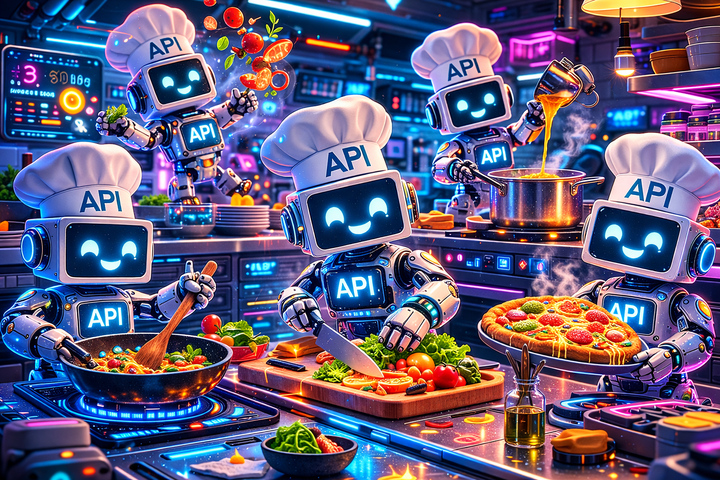
Think of an API as a way to order food in a restaurant.
- The endpoints and parameters are the menu, aka the list of what you’re allowed to order.
- Your request is a waiter, the standard way you place the order.
- The response is getting what you ordered. The system is doing the work behind the scenes, the same way as the kitchen operates: you don’t need to know how it works, all you need to know is that you get your dish.
APIs allow for standardizing interactions between the systems; automating repeatable operations (create/update/shut down); connecting streaming components into your platform workflows; and even building your own UI/control plane that matches how your org actually works.
Unified Origin: publishing point REST API (automation + observability, not just config)
Unified Origin provides a Publishing Point REST API that lets you manage publishing points through HTTP requests, including lifecycle actions and operational controls.
With the Publishing Point REST API, you can:
- create and manage publishing points programmatically,
- retrieve state and statistics for monitoring and observability,
- perform operational actions such as deleting publishing points.
If you’re using or building an internal UI for operations or content workflows, REST API typically becomes the foundation. Unified Origin transforms into a service you orchestrate, not a thing you configure manually.
Timed metadata: quick visibility when timing really matters
Beyond creating and managing publishing points, the Publishing Point API also assists with day-to-day operations: for example, quickly checking timed metadata.
Timed metadata turns a live stream into an operational workflow. It carries “this happens now” signals that power things like ad breaks, program events, and downstream triggers.
When something breaks (let’s say, an ad break doesn’t trigger, or a marker isn’t detected), then checking things on the player’s side isn’t all that helpful. It's the end of the chain, and peering player-side only shows the outcome.
The real question comes earlier in the workflow: did the publishing point actually receive and recognize the timed metadata signal? If not, the issue’s upstream (ingest/encoder). If the pub point recognized the timed metadata signal, you know to look downstream (packaging, delivery, player, ad tech).
That’s the job the metadata API call is suited to do. It gives you a quick, programmatic way to inspect metadata for a publishing point so teams can verify that critical markers are present and accounted for before a big event. It debugs why an ad break didn’t fire (did the marker arrive or not?). It monitors for missing or malformed cues as part of QA/observability. And it even automates checks in a control-plane UI without digging through logs.
The metadata API call is a practical addition to the Publishing Point API toolbox, giving fewer assumptions, faster triage, and cleaner integrations.
Unified Virtual Channel: API-driven virtual linear channels that plug into your workflow
When we created Unified Virtual Channel, for us, it was obviously one of the clearest “API-compatible” scenarios in streaming.
Channels are created, adjusted, and scheduled constantly, and those workflows usually already live elsewhere (content ops tooling, scheduling systems, rights/rules engines).
Unified Virtual Channel is designed to integrate,via API, into existing workflows seamlessly, so you can create and manage channels programmatically instead of relying solely on a standalone UI.
Virtual Channel operates via a single API call. We created an extensive guide in our docs that allows you to integrate the product and operate it easily.
DRM and the ecosystem reality: CPIX APIs
Nobody runs DRM as a walled-off thing. It’s an ecosystem: key services, licensing, rotation logic, multiple systems, compliance requirements.
Unified Streaming documentation includes integrations with DRM services that expose a CPIX API over HTTP (all adhering to current standards, and maintaining compatibility with major DRM vendors).
In this case, the operation using API matters for two reasons. First, it provides a practical way to integrate secure workflows. Second, Unified Streaming products are designed to connect seamlessly with other industry solutions, rather than replace all upstream and downstream systems and trap you in a new Frankenstein setup.
The bigger point: APIs let you build your own streaming UI (and your own way of working)
Lots of vendors sell a UI and call it a day.
But the teams that operate streaming at scale usually want the opposite. They want:
- their own control
- products integrated into existing tooling and permissions
- consistent workflows for ops + content + engineering
- automation without third-party dependency
Unified Streaming APIs make that possible. So if you want to build a full UI around your streaming platform, or to connect it cleanly to the rest of your systems, you’re not fighting the product. You’re using it the way it was intended.
To build such an interface is pretty easy. As an experiment, one of our pre-sales “vibe coded” an interface with Chat GPT in a couple hours. It allowed the engineer to track the status of streams successfully, run and stop channels, see alerts, and operate our tools via UI.
Make “API-first streaming” a part of your setup
If you’re building an internal control plane, automating publishing point operations, or integrating virtual channels into scheduling workflows, we’re happy to share some best practices on using our APIs.
Bring your current architecture, even if it’s messy. It’s a safe space. What we’re aiming to do is enable companies to create reliable, standards-based media workflows that are also AI-ready, regulatory-compliant, and efficient at scale.